Introduction: Why is “Cleaning Up” AI Text So Hard?
Have you ever thought about “Wish there’s a ChatGPT Markdown Remover“? I did.
As a Product Designer and Agentic AI Architect, I collaborate with ChatGPT, Claude, and Gemini dozens of times a day. While their insights are brilliant, they leave behind a messy trail: Markdown formatting.
When you copy-paste an AI response directly into Slack, Microsoft Teams, or an email, those # headers and ** bold markers don’t always render correctly. Instead of a professional draft, you end up sending a text that screams,
“I just copy-pasted this without looking.”
Today, I’m sharing why removing Markdown is more than just “tidying up”—it’s about the quality of your professional communication. Plus, I’ll introduce unmarkdown.io, a tool I built to solve this exact frustration.
1. Content is King, but Format is Attitude
We’ve moved past simply consuming AI results; we are now in the era of sharing and persuading with them. When raw Markdown symbols are left in your message, the recipient unconsciously receives three negative signals:
- A Lack of Sincerity: It looks like you didn’t take the time to digest the content into your own words.
- Increased Cognitive Load: In UX design, our goal is to reduce friction. Symbols like
###act as “Visual Noise,” forcing the reader’s brain to filter out unnecessary data before reaching the actual point. - Layout Friction: Most messengers (especially mobile versions) don’t support full Markdown. A single
#can break line breaks and turn a structured report into a dense, unreadable block of text.
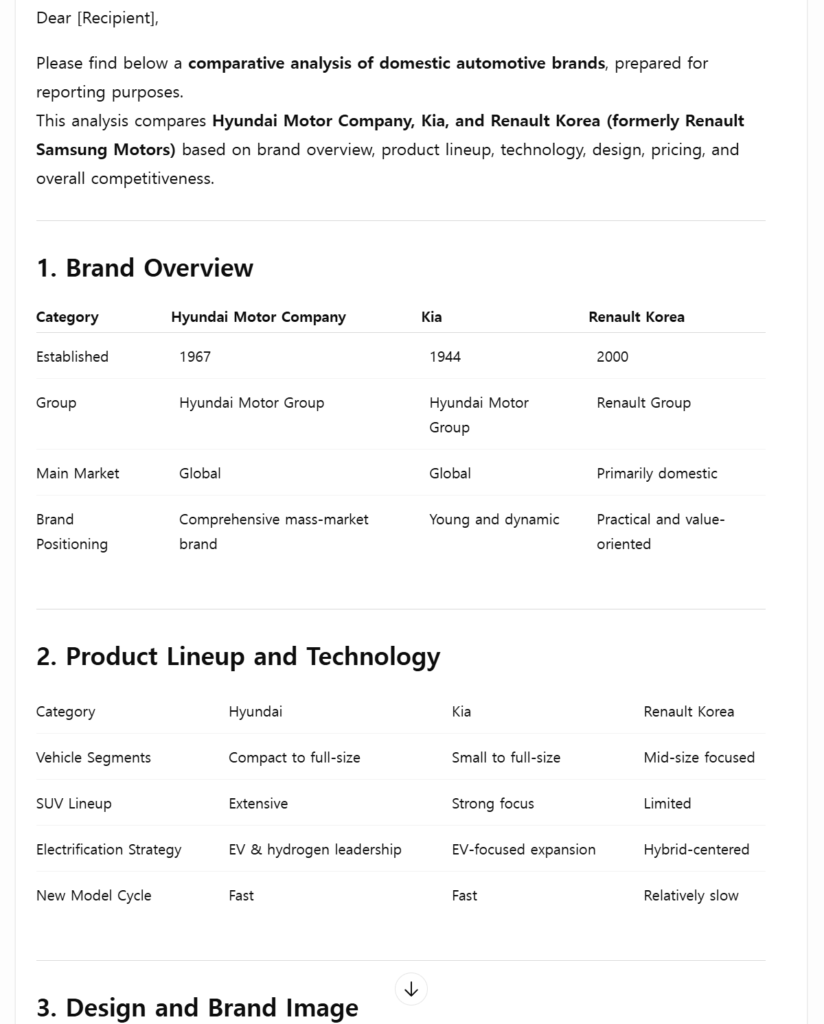
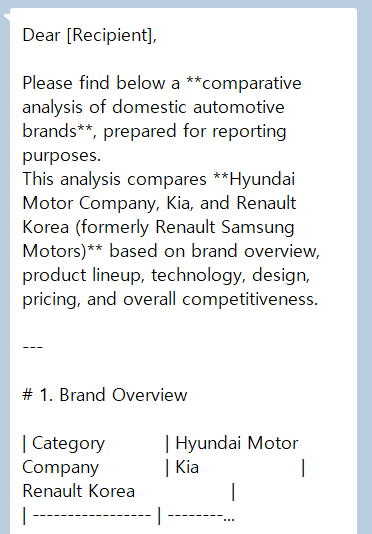
🎨 Product Designer’s Insight: According to the Gestalt Law of Similarity, the human brain tries to group similar elements. Random symbols break this visual rhythm, making your message feel “hard to read.” Clean text is a powerful design tool that keeps the focus on your core message.
2. The Efficiency Math: You’re Losing 7 Hours a Month
To get Clean Markdown to Text, I used to delete these symbols manually—backspacing every single * or using “Find and Replace.” Then, as a designer obsessed with efficiency, I did the math on the opportunity cost:
- Time per cleanup: ~40 seconds (longer for detailed reports)
- Daily AI interactions: 20+ times
- Daily time wasted: 15–20 minutes
- Monthly Total: Approx. 7.5 hours
That’s an entire workday spent on deleting hashtags! To stop this “manual labor,” I built a solution inspired by the minimalism of the Bear app and the intuitive UX of SmallPDF: unmarkdown.io.
3. Unmarkdown: A 3-Second Professional Workflow
I designed unmarkdown.io with zero fluff. It focuses on one thing: The cleanest text possible.
🛠️ Smart Workflow for productivity
- Generate: Get your draft from ChatGPT, Gemini, or Claude.
- Paste: Copy the entire response into unmarkdown.io. (Takes 1 second!)
- Clean & Copy: Click ‘Clean Text,’ and all Markdown vanishes.
- Send: Paste it into Slack, Teams, or your report without worrying about broken formatting.
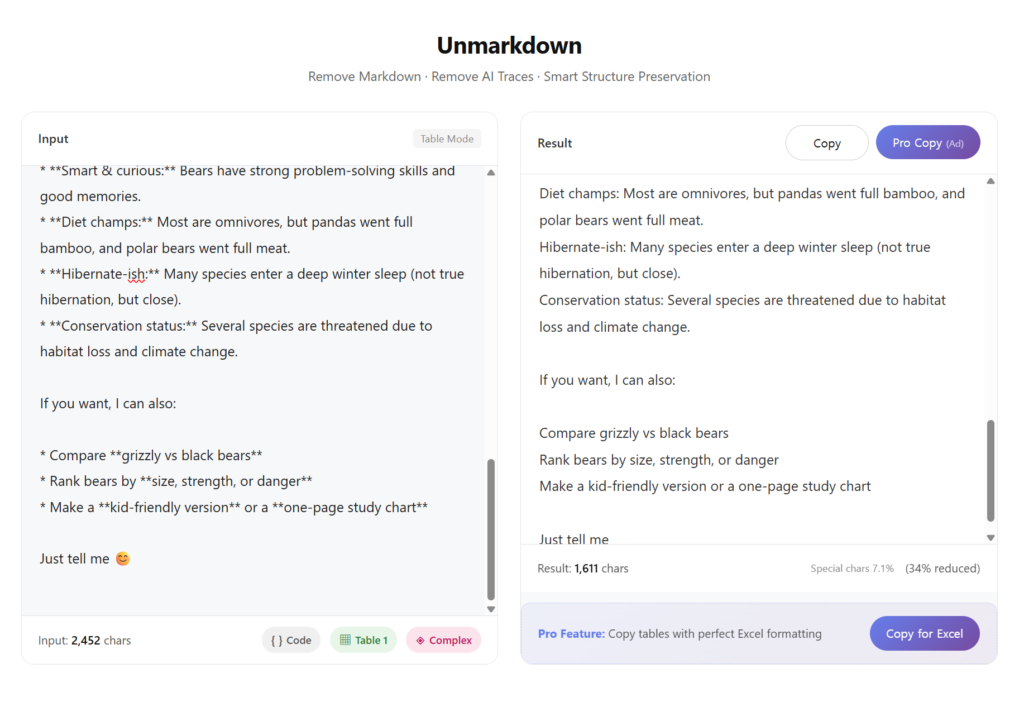
This small routine builds a reputation. To your manager, you become the person with “sharp attention to detail,” and to your colleagues, you are the one whose “messages are always easy to read.”
Closing Thoughts: Tools Assist, Humans Complete
AI pours out data at an incredible speed, but “cooking” that raw data into something digestible is still a human task. ChatGPT Markdown remover isn’t just a chore; it’s a detail that defines the caliber of your business communication.
If you’re someone who values efficiency and a clean aesthetic, this tool will give you your 7 hours back.
Get your Productivity back with this Markdown Remover!
👉 Try unmarkdown.io for free now
FAQ
Q. How is this different from using Notepad?
A. Standard “Find and Replace” can’t handle complex patterns like **bold text** or nested lists easily. This tool uses a regex-based algorithm to strip symbols while preserving the intended structure.
Q. Does it support English?
A. Absolutely. Even I am a designer based in Korea, I ensured it handles multilingual encoding. Because I needed it😂 It perfectly works without any character breakage.
Q. Is my data stored on your server?
A. No. Privacy is a priority. All processing happens within your browser; nothing is ever sent to or stored on a server.